
Client Skills
How to Write a Client Update That Gets a Decision (The UPWARD Method)

Annikka AborroPublished Oct 13, 2026 · 9 min read

Short answer
Here's how to write a client update that gets a decision: start with where things stand, name what's blocking the result, give two or three real options, recommend one and say why, then state exactly what the client needs to decide and by when. That's the UPWARD structure I teach: Update, Problem, Ways forward, Advice, Required decision, Deadline.
Free OBM Readiness Scorecard
A few minutes, a personalized result, and a clear next skill to practice.
Take the ScorecardMost client updates are activity logs with a friendly "Hi!" on top.
You list everything you did today. Your client skims two lines, reacts with a 👍, and nothing gets decided. Then the deadline slips and everyone's surprised.
Learning how to write a client update that gets a decision is one of the clearest lines between VA work and OBM work. Here's the line I use in class: a good OBM doesn't send a client a list of problems and disappear. She gives the client clarity, options, and a recommendation.
I've been recommending instead of waiting for most of my 18 years online. Long before I had the OBM title, my clients relied on me to say what should happen next. This post is the structure I wish someone had handed me back then.
A good OBM doesn't send a client a list of problems and disappear. She gives the client clarity, options, and a recommendation.
Annikka Aborro
Why do clients ignore updates?
Clients ignore updates when the update reports activity instead of the result, and when the one thing they need to do is buried at the bottom.
A project lead described this exact trap on Project Management Stack Exchange this month. Most of the team's tasks on the board were closed, and they had been calling that progress. Then the sponsor asked if they would make the date, and the team gave three different answers (Project Management Stack Exchange, Oct 6, 2026).
Closed tasks aren't the same as a protected result. Your client doesn't care that you did twelve things. She cares whether the launch happens.
The second problem is order. Writing guides call the fix BLUF, "bottom line up front." MIT's AeroAstro Communication Lab puts it simply: get straight to the point in the first one or two sentences after the greeting (MIT AeroAstro Communication Lab, Mar 17, 2025).
And clients are asking for this out loud. A September 2026 job post for an Online Business Manager wants a weekly report covering how the team is doing, what's on track, and what needs the founder's decision (OnlineJobs.ph job post, Sep 26, 2026). Another, for an executive assistant and OBM role, says updates should be "short and clear" (OnlineJobs.ph job post, Aug 12, 2026).
What should a client update include?
A client update that gets a decision has six parts, in this order. I call it UPWARD.
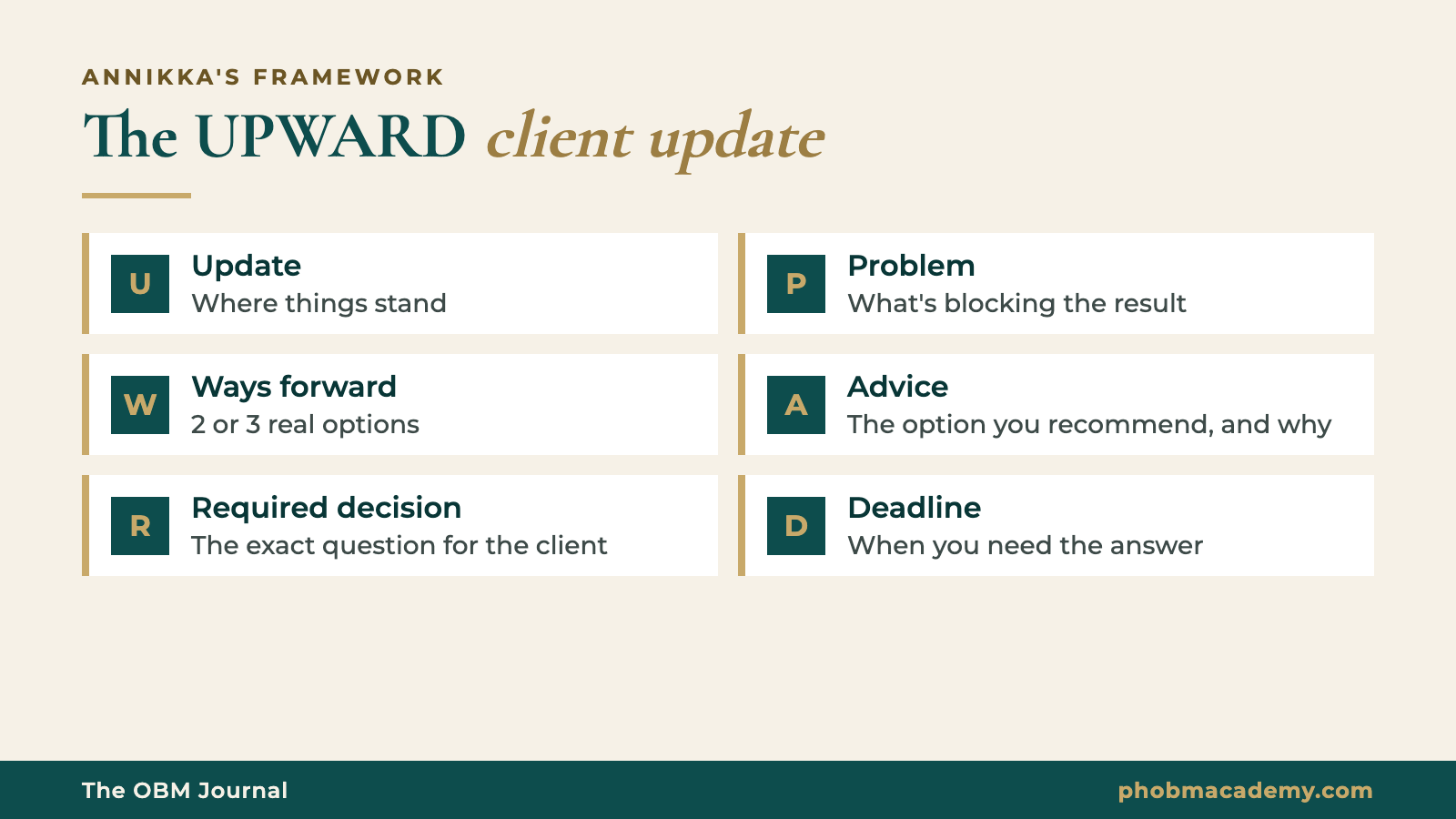
| Letter | Stands for | What you write | Keep it to |
|---|---|---|---|
| U | Update | Where things stand against the result (not the task list) | 1 to 2 lines |
| P | Problem | What's blocking or putting the result at risk | 1 line |
| W | Ways forward | 2 or 3 real options, each with its trade-off | 1 line each |
| A | Advice | Which option you recommend, and why | 1 to 2 lines |
| R | Required decision | The exact question the client needs to answer | 1 line |
| D | Deadline | When you need the answer, and what happens if it's late | 1 line |
Two rules make UPWARD work:
- Options must be real. If one option is obviously silly, you're not giving a choice, you're steering. Clients can tell.
- The decision must be answerable fast. "1, 2 or 3?" gets answered from a phone in a grocery line. "Let me know your thoughts" doesn't.
If nothing is at risk, you don't need the full six. Say "On track for the 20th, no decision needed this week" and stop. That one line is still an UPWARD update: it tells the client the result is safe.
What does a client update that gets a decision look like?
Here's a full example. The client is made up, but the situation is one you've probably lived.
Say your client, Jen, runs a paid membership for Pilates instructors. A new cohort opens on the 20th. Wednesday morning, she sends you this on Slack:
Jen
hey!! how are we looking for the 20th? 👀
The update most VAs send
Hi Jen! Here's my update for today 😊
- Updated the welcome email
- Fixed 3 broken links on the sales page
- Uploaded the replay from last week's call
- Sent the contractor invoices
- Followed up with Kat about the workbook
- Still waiting on the workbook design
Let me know if you need anything else!
Nothing here is wrong. It's just not useful to Jen. She asked one question (are we okay for the 20th?) and got six activities. The real risk, the workbook, is in the last bullet, with no ask attached.
The same update, written with UPWARD
Hi Jen! Short version: we're mostly good for the 20th, but I need one decision from you today 🙏
Update: Sales page, emails and checkout are ready. I tested the welcome sequence this morning and it all works ✅
Problem: The workbook design isn't back from Kat. Her earliest is Monday, which leaves us zero buffer before launch.
Options:
- Launch on the 20th with a clean Google Doc version of the workbook, then send the designed one next week
- Move the launch to the 27th so the designed workbook is ready on day one
- Ask Kat to rush it for Friday (she said she can, but it adds to her invoice)
My recommendation: Option 1. The emails already say the 20th, and the Doc has the same content. I'll format it nicely and add a note that the designed version is coming.
Decision: 1, 2 or 3?
By when: 3 PM your time today, so I can update the emails tonight. If I haven't heard back by then, I'll message you again so we don't lose the evening.
Same facts. Same VA. But now Jen can reply "1 👍" in five seconds, and the launch is protected.
If your client prefers a weekly email, use the same order with a subject line that carries the ask, like "Weekly ops update: 1 decision needed by Thursday." Put the decision in the first two lines. Move the full activity list to the bottom or into a linked doc for anyone who wants detail.
How do I give a recommendation without overstepping?
You give a recommendation without overstepping by making it clear the client still decides. You're making the decision easier, not making it for her.
When you're raising something new (not a deadline problem, but something you've noticed), I teach a respectful recommendation structure:
Here's how that sounds in a real DM:
Hi Jen! Something I noticed this cohort: a lot of new members are emailing "where's my login?" in their first week. It's eating into support time and it's not a great first impression 😬 I recommend we add a clear login step to the welcome email plus a quick check-in on day 2. If you're okay with it, I can write and test both this week. We'll know it's working if login questions mostly disappear next cohort. Want me to go ahead?
Notice the last part. "If you agree, I can take responsibility for..." is where you start owning results instead of tasks. And "we will know it is working when..." is how you'll prove it later.
What if my client doesn't reply to my update?
If your client doesn't reply, make the update easier to answer before you make it louder. Most silence comes from an ask that's too big, too vague, or too far down the message.
Try these, in order:
- Move the ask to the first line. If she reads only the preview, she should still see the question.
- One decision per message. Three decisions in one update usually means zero answers.
- Make it a number or an emoji. "Reply 1, 2 or 3" is easier than "what do you think?"
- Say what happens if it's late. "If I don't hear back by 3 PM, the emails go out with the old date" is not a threat. It's information she needs.
- Follow up once, in the same thread, with only the question.
Here's what that follow-up can look like:
Hi Jen! Just bumping the one decision from this morning: 1, 2 or 3 for the workbook? A number is enough 😊
If updates keep going unanswered week after week, ask her directly how she wants them: Slack or email, daily or weekly, long or short. That conversation is part of the job too.
How to write a client update in 10 minutes
Use these steps for your next update. It gets faster after the first few.
- Write the result you're protecting at the top, for example "Cohort launch on the 20th."
- Write one line on where things stand against that result.
- Ask yourself: is anything putting the result at risk? If not, write "On track, no decision needed" and send.
- If yes, name the blocker in one sentence.
- List two or three real options, each with its trade-off.
- Pick one and give your reason in one or two lines.
- Write the decision as a question she can answer fast.
- Add the deadline and what happens if the answer comes late.
- Move the activity list to the bottom or a linked doc.
- Read it on your phone. If the ask isn't visible on the first screen, move it up.
Once you're doing this every week, you're not just reporting anymore. You're running the work, and your client can feel the difference.
When requests start piling up because you've become the person who gets things decided, read how to handle scope creep without losing the client. And if you want to see where recommendations fit among the other OBM skills, read the 7 online business manager skills.
Frequently asked questions
What should a weekly client update include?
A weekly client update should say where things stand against the result you're protecting, what's blocking it, your options, your recommendation, the decision you need, and the deadline for it. That's the UPWARD structure: Update, Problem, Ways forward, Advice, Required decision, Deadline. If nothing is at risk, one line saying you're on track with no decision needed is enough.
How long should a client update be?
Short enough that the decision is visible on a phone screen without scrolling. For most updates that's under 150 words. Put the result and the ask in the first two lines, use one line per option, and move the full list of activities to the bottom or into a linked document. A longer update isn't more professional if the ask gets lost.
How do I tell my client about a problem without sounding negative?
Pair the problem with options and a recommendation in the same message. A problem on its own feels like bad news. A problem with two or three ways forward and your pick feels like you're handling it. Keep the tone factual, say what's still on track, and end with a clear question your client can answer quickly.
Is it overstepping to give my client a recommendation?
No, as long as the client still makes the decision. Use a respectful structure: what you noticed, what it's causing, what you recommend, what you can take responsibility for, and how you'll both know it's working. Then ask if she wants you to go ahead. Clients hiring at the OBM level expect a point of view, not just a report.
What do I do when my client doesn't reply to my updates?
Make the update easier to answer before you follow up. Put the question in the first line, ask for one decision at a time, let her reply with a number, and say what happens if the answer comes late. Follow up once in the same thread with only the question. If silence keeps happening, ask her how she prefers to get updates.
Your next step
Recommending is one of the seven skills clients look for in an OBM. Take the free OBM Readiness Scorecard to see how your other skills stack up, then join the free OBM community on Facebook and share your next UPWARD update for feedback.
If you want weekly practice on client communication with written feedback, OBM Pros includes a weekly Communication Lab. The founding cohort starts December 2026.